Getting started
Things you will need
- Some telecoms apparatus, like a telephone, fax machine or modem
- 50-60m of twisted pair cable. The easiest option is a pre-terminated CAT5 Ethernet Cable
- Some way of connecting your apparatus to the line. For a standard BT 431A plug the easiest option is an RJ45 coupler and adapter which can be purchased from the ECHQ village, or you can make your own. Remember to include a ring capacitor!
- Optionally - A trunk adapter to break out 4 phone lines on a single CAT5 cable, which might be useful for a village.
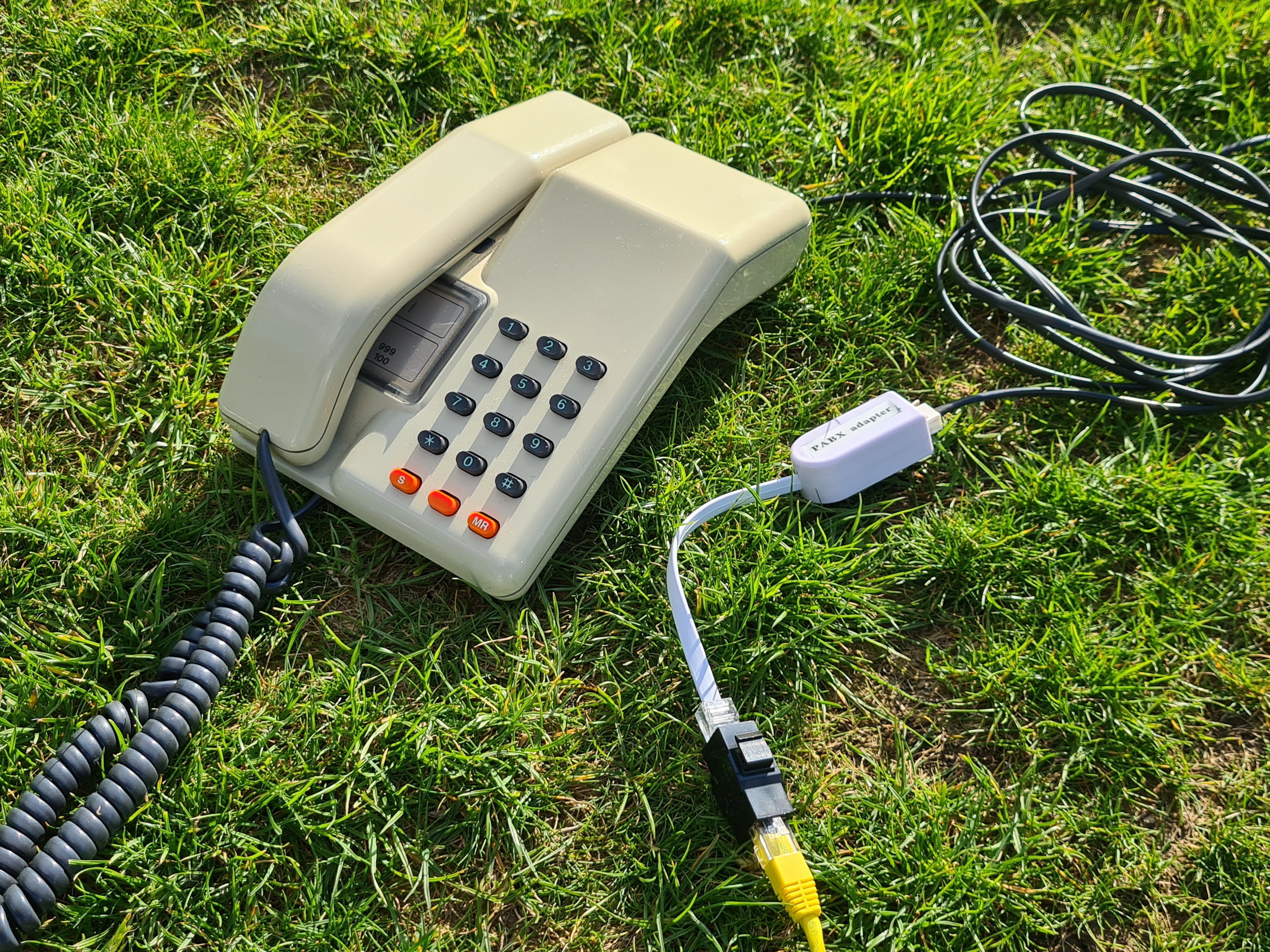
Getting Connected
To connect your telephone apparatus (Telephone, Fax, Modem, etc) to the CuTEL Network you will need to locate your closest Distribution Point. These are purpose built IP rated enclosures more commonly refered to as buckets, and you should be able to find one near your closest Datenklo (DK). N.B The buckets previously contained a sesame seed based product, and lived in a factory that handled seeds / nuts. They have been washed, but some residue remains.
Note that telephone lines must not cross between two electrical grids due to the potential for potential differences - generally if you're having to run a cable over a road, hedge or stream you should find another DK. We will publish a map of these grids closer to the event.
Inside the Distribution Point you will find a patch panel. If you're just connecting a single "line" you can use any of the connectors in the lines section. If you require a "trunk" (4 lines on a single cable) to supply a village or similar use on of the connectors in the trunks section
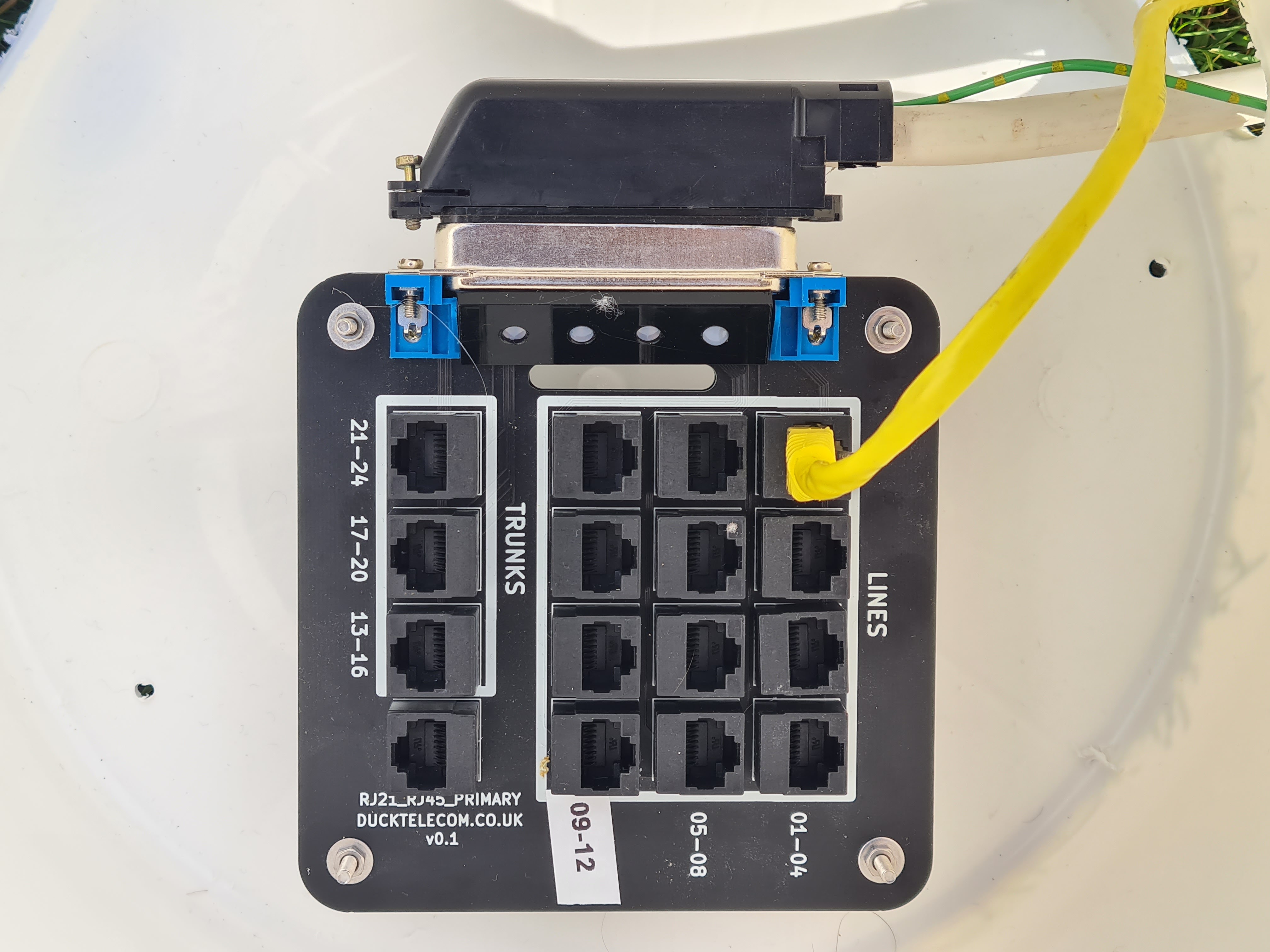
Patch your cable by inserting it through the hole in the side of Distribution Point and inserting it into a connector. Be careful to not disturb the other lines, and make sure you fit the lid properly once finished.
Claim a memorable extension number
To claim a memorable number go to https://phones.emf.camp/